In the chaotic world of digital existence, where remembering passwords can feel like trying to recall the name of that one guy you met at that one party last year, password managers swoop in as the heroes we never knew we needed. But are these digital knights truly trustworthy, or are they the Trojan horse of our times?
Let’s dive in, with a sprinkling of sarcasm and humor, to find out.

The Glorious Benefits of Password Managers
Strong, Unique Passwords for Every Account:
Imagine never having to use “Password123” again. Password managers generate ridiculously strong passwords that you’d never come up with in a million years, let alone remember. Your accounts will be safer than a squirrel’s nut stash.
Convenience and Ease of Use:
All hail the password manager! With it, you only need to remember one master password. Just one! It’s like having a universal key that opens every door, minus the part where you lose it in the couch cushions.
Enhanced Security Features:
Two-factor authentication, biometric logins, encrypted storage—these managers are basically Fort Knox for your digital life. It’s like having a bouncer for your online accounts, minus the attitude.
Cross-Platform Compatibility:
Whether you’re on your phone, laptop, or that ancient tablet you forgot existed, password managers sync across all your devices. It’s like having a personal assistant who’s always one step ahead, but doesn’t nag.
The Slightly Alarming Risks and Considerations
Single Point of Failure:
The beauty and the beast of password managers: if it’s compromised, your digital world might come crashing down. Choose a reputable manager and a master password that isn’t “ilovepizza123”.
Data Breaches:
While rare, password managers are not infallible. Theoretically, they could get hacked. But hey, so could your fridge if it’s smart enough.
Master Password Vulnerability:
If someone gets hold of your master password, they gain access to everything. So, let’s just agree to use something more creative than your cat’s name, okay?
Dependency on Technology:
Relying on technology always has its pitfalls. Make sure your chosen password manager updates regularly and doesn’t crash more often than your neighbor’s beat-up car.
Choosing Your Digital Bouncer
When selecting a password manager, consider the following:
- Security Features: Look for encryption, two-factor authentication, and secure sharing options. Think of it as choosing a bodyguard with actual muscles, not just a big talker.
- Usability: Ensure it’s user-friendly. Nobody has time for a manager that requires a degree in rocket science to operate.
- Reputation: Go for a provider that has more stars than a kid’s sticker chart and a security track record that would make a spy jealous.
- Backup and Recovery: Make sure there’s a solid backup and recovery plan. Because forgetting your master password should not equate to a personal apocalypse.
Apple Keychain: Is It Good?
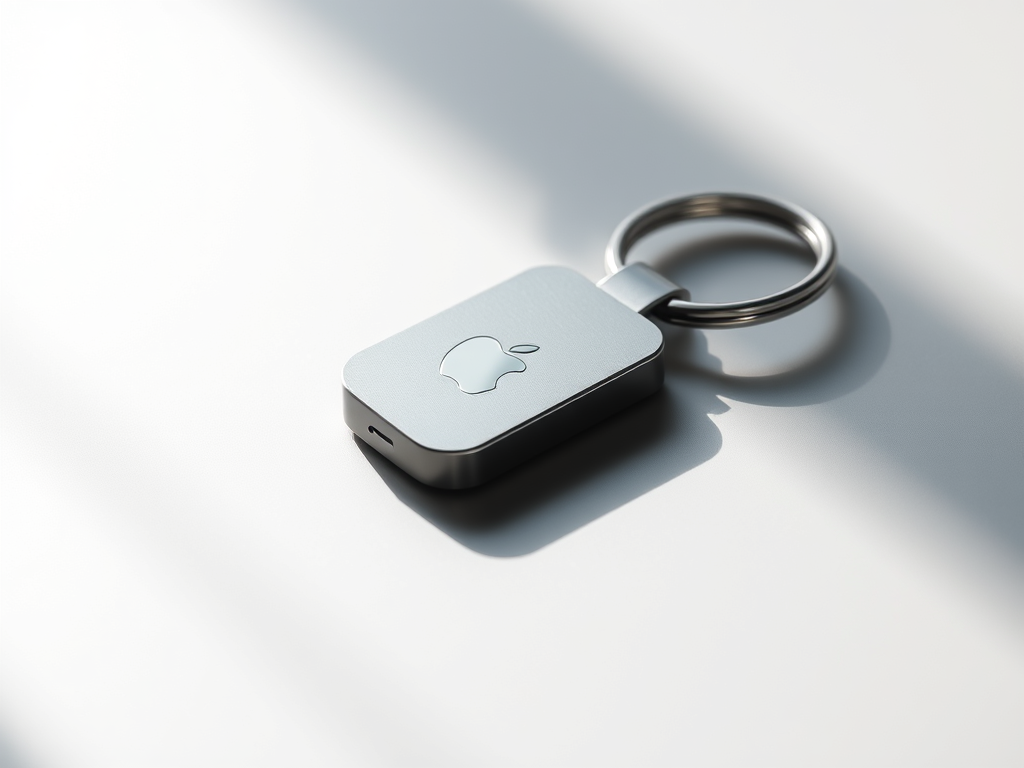
If you’re an Apple customer, you’ve probably heard of Apple Keychain. This little gem is integrated into macOS and iOS devices, providing a seamless way to store and sync passwords across your Apple ecosystem. It uses strong encryption (AES-256-GCM) to keep your data as secure as a secret agent’s dossier.
Seamless Integration: Apple Keychain works natively across iPhone, iPad, and Mac, providing unified password management within the Apple ecosystem.
Strong Encryption: Uses AES-256-GCM encryption, ensuring high-level security for stored passwords.
Ease of Use: Automatically generates and stores complex passwords for Safari and apps, reducing manual input.
Secure Syncing: Securely syncs passwords across devices via iCloud with end-to-end encryption.
The issue is that Apple Keychain is best suited for users who are heavily invested in Apple products. If you’re a cross-platform user, this might cramp your style. No Cross-Platform Support: Not available for non-Apple devices. If you’re using multiple operating systems, this could be a deal-breaker.
The New Kid on the Block: Passkeys

Enter passkeys, the new kids on the block that are shaking up the authentication game. Passkeys are a way to log in to apps and websites without using a username and password combination1. Instead, they use your device’s security features like Face ID, Touch ID, or PINs to authenticate your identity.
Pros:
- No More Passwords: Say goodbye to the headache of remembering multiple passwords. Passkeys are unique to each app or website and stored securely on your device1.
- Phishing-Resistant: Since passkeys are unique to each site, they can’t be reused on phishing sites.
- Device-Specific: Your private key is stored only on your device, making it harder for hackers to access.
Cons:
- Limited Adoption: Not all websites and apps support passkeys yet, so you might still need passwords for some sites.
- Device Dependency: If you lose access to your device, you might need to go through recovery steps to regain access.
Overall, if you’re an Apple user, Keychain is a reliable and secure option for managing your passwords. Just remember to use a strong master password and enable two-factor authentication for added security.
Conclusion
Password managers offer a secure and convenient way to manage your passwords, reducing the risk of hacking due to weak or reused passwords. Apple Keychain is a reliable option for Apple users, providing strong encryption and seamless integration. Emerging passkeys promise a future with even greater security and ease of use.
While password managers can still be vulnerable to breaches, choosing a reputable provider, using strong master passwords, and enabling two-factor authentication can help keep your digital life secure.
So, are password managers really secure? Yes, with the right choice and a dash of caution, they can be as reliable as a superhero.

 SecCyberNet
Leave a comment